01 / 04
Four-wheel drive
All four wheels are powered, with sensors all the way around that brake before a bump and help you steer.
Drive
Four devices that look after you, and tell the people who care.
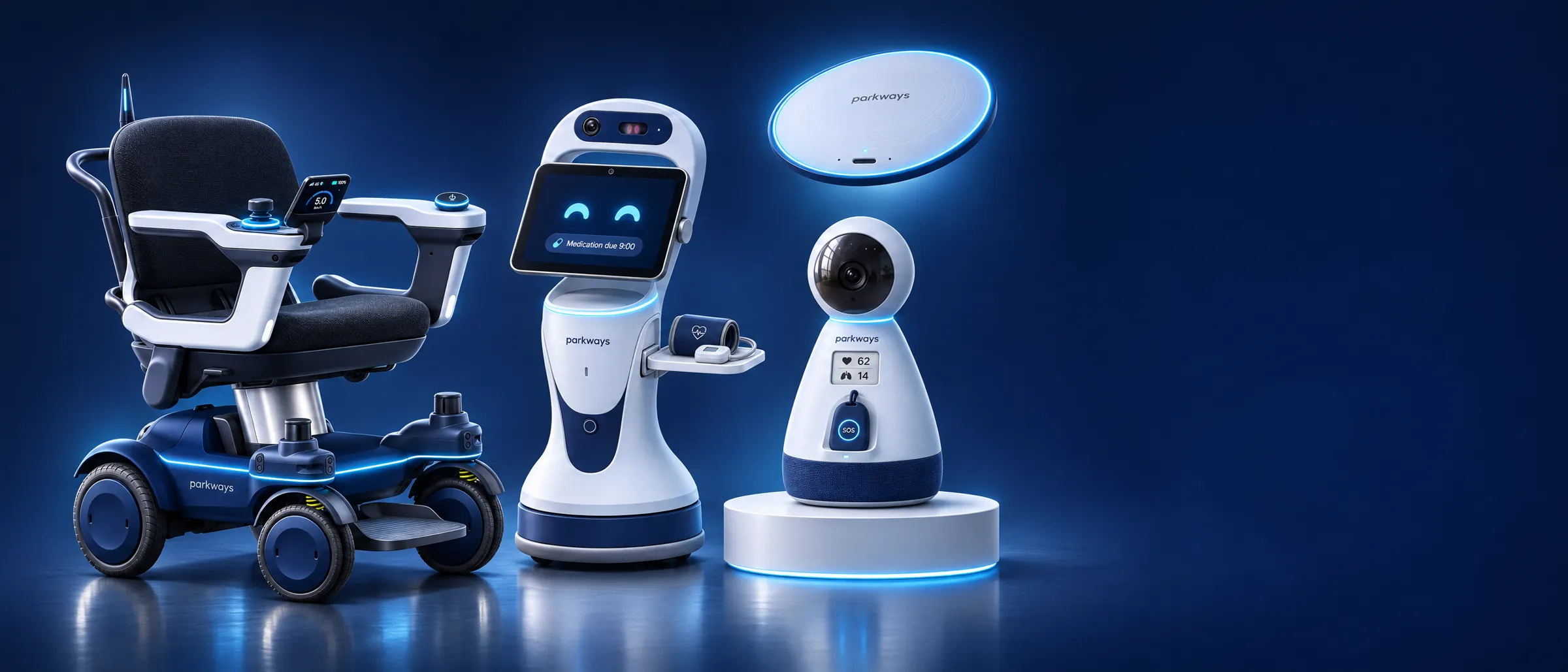
Parker in every device
The same friendly assistant, by voice, wherever you are.
Your care team, connected
Alerts go straight to your provider on Parkways, or to family.
You choose who sees what
Change it any time in Parkways Connect.
Data kept in Australia
Stored in Sydney, against your own record.
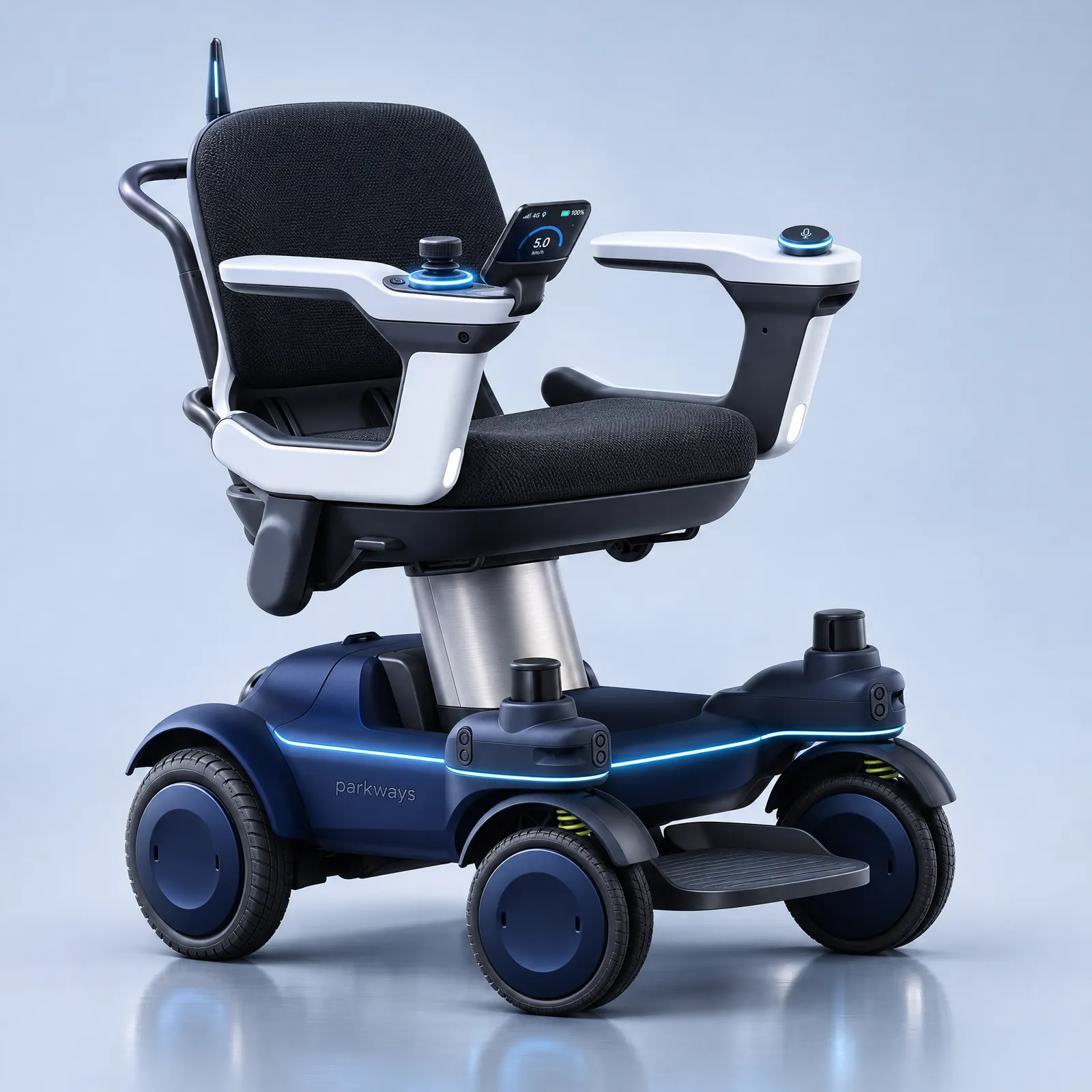 Smart power wheelchairGlideThe power chair that tells the people who care.Take a look
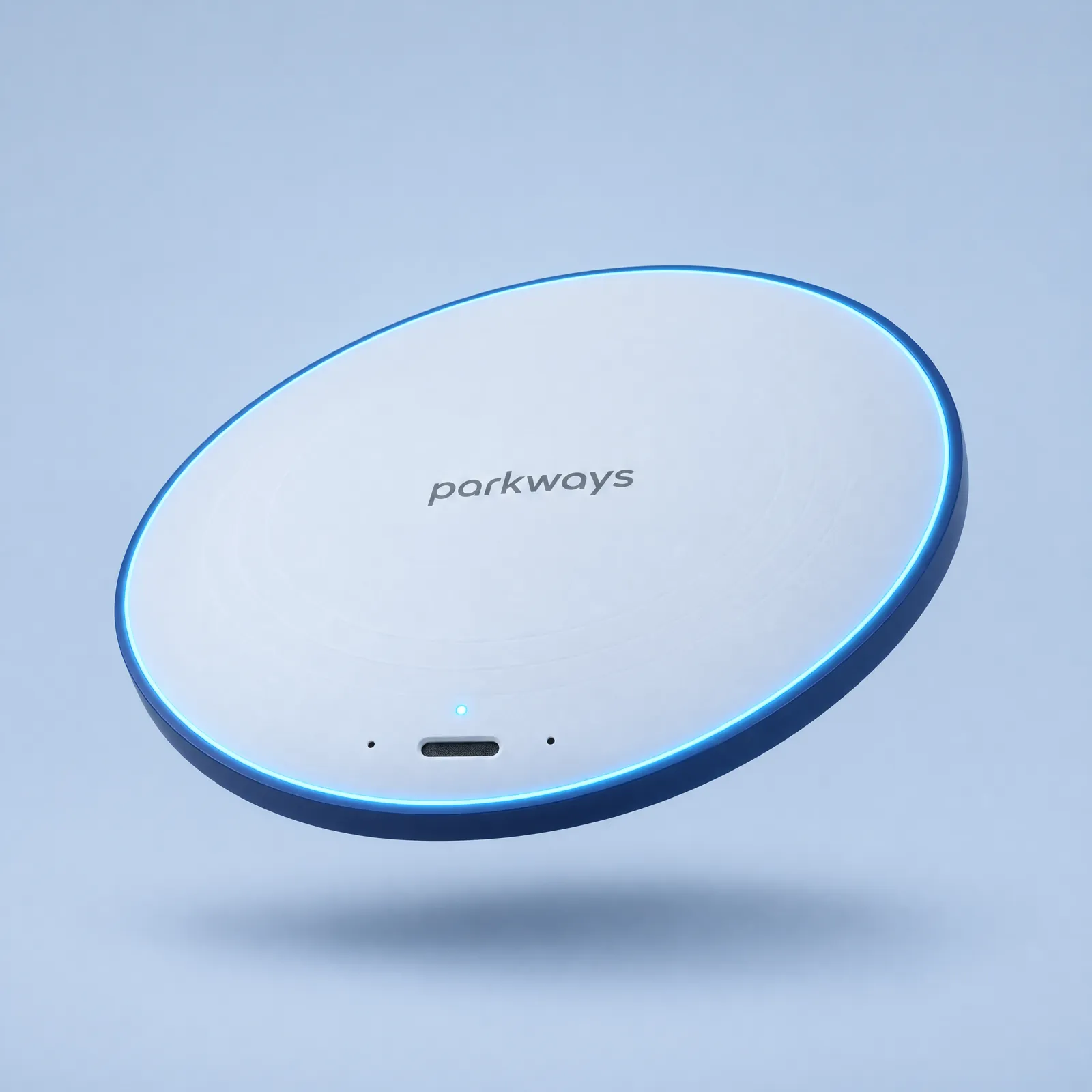 Fall detection sensorSentinelWatches over the room without a camera.Take a look
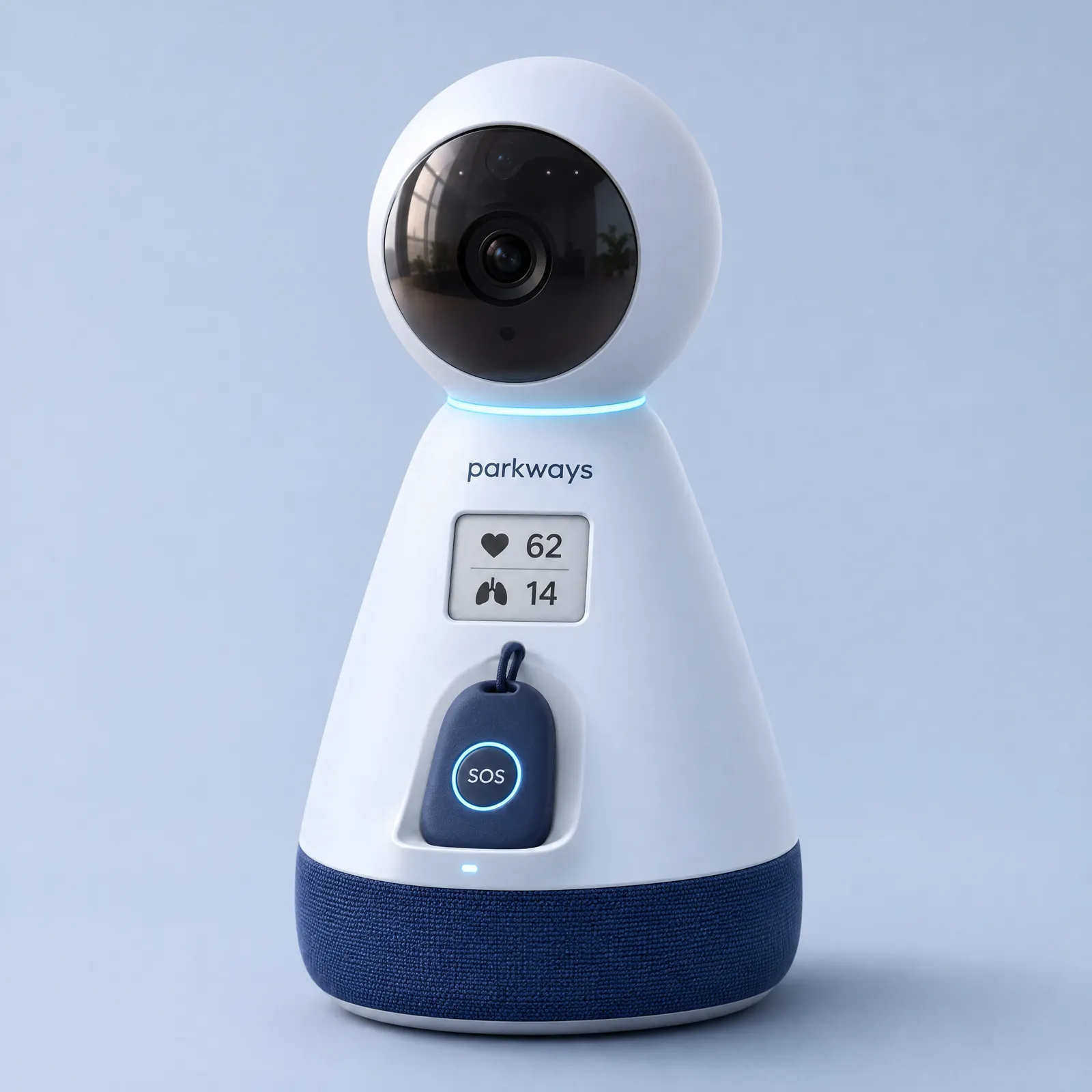 Bedside vitals monitor with SOSPulseA better night's sleep, for everyone who worries.Take a look
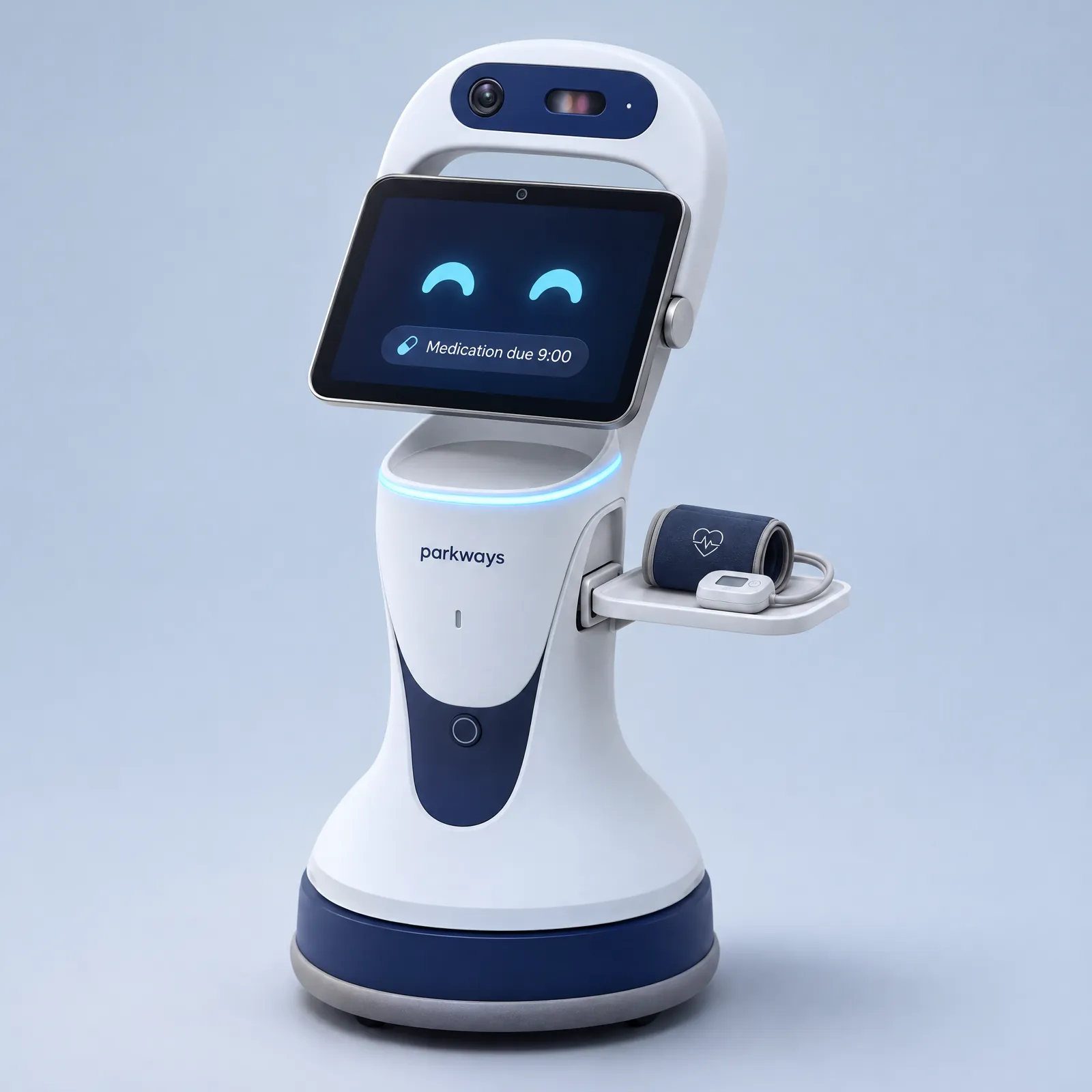 Home care robotCompanionCompany, reminders and a check-up, in one friendly robot.Take a look
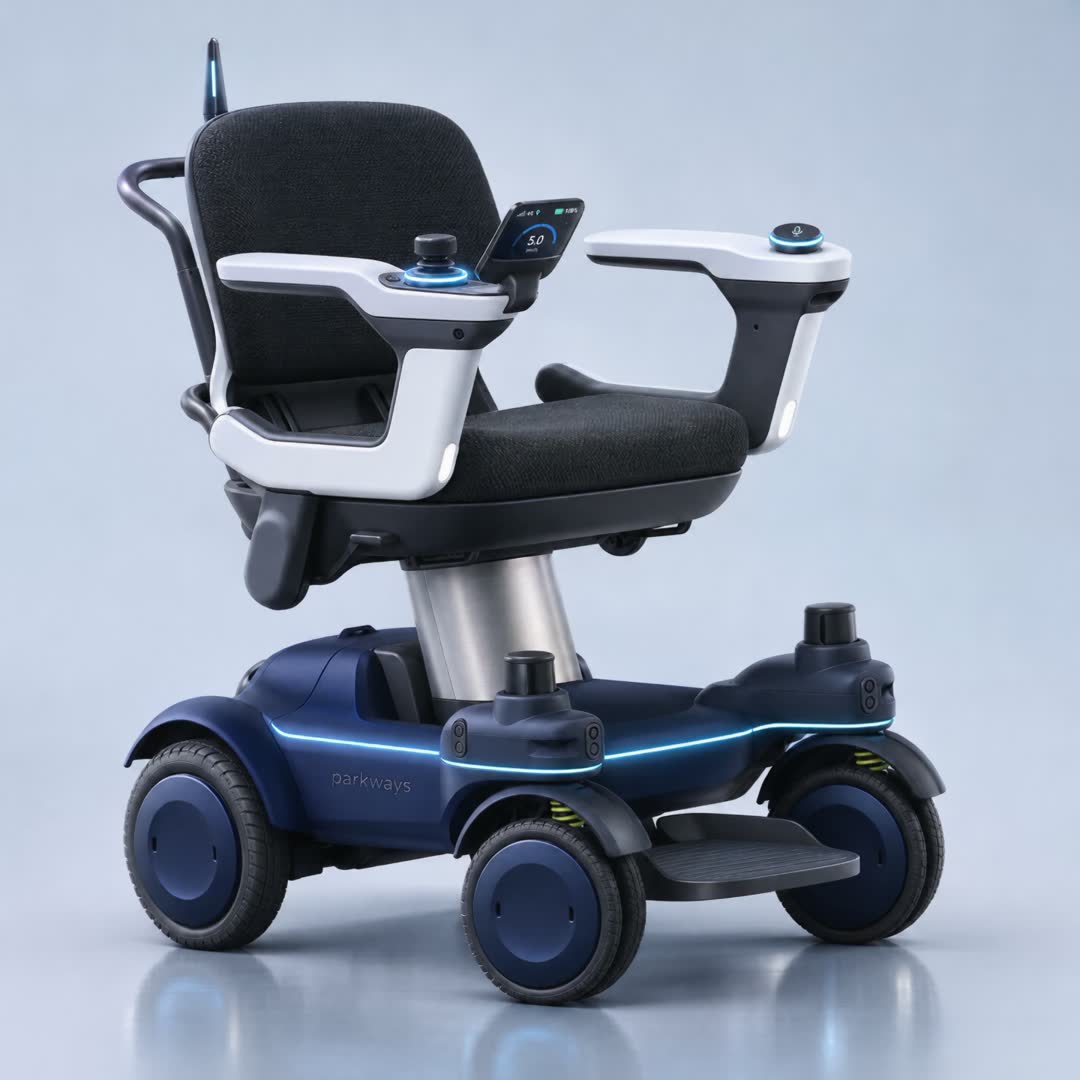
Scroll to walk around the chair.
All four wheels are powered, with sensors all the way around that brake before a bump and help you steer.
A soft blue light along the base and around the joystick shows your battery and drive mode, and glows when Parker is listening.
Built-in mobile connection, GPS and an SOS button, so help can find you even when your phone is flat.
Three colours, a wide-seat option and a design that looks like a vehicle, not a hospital aid.
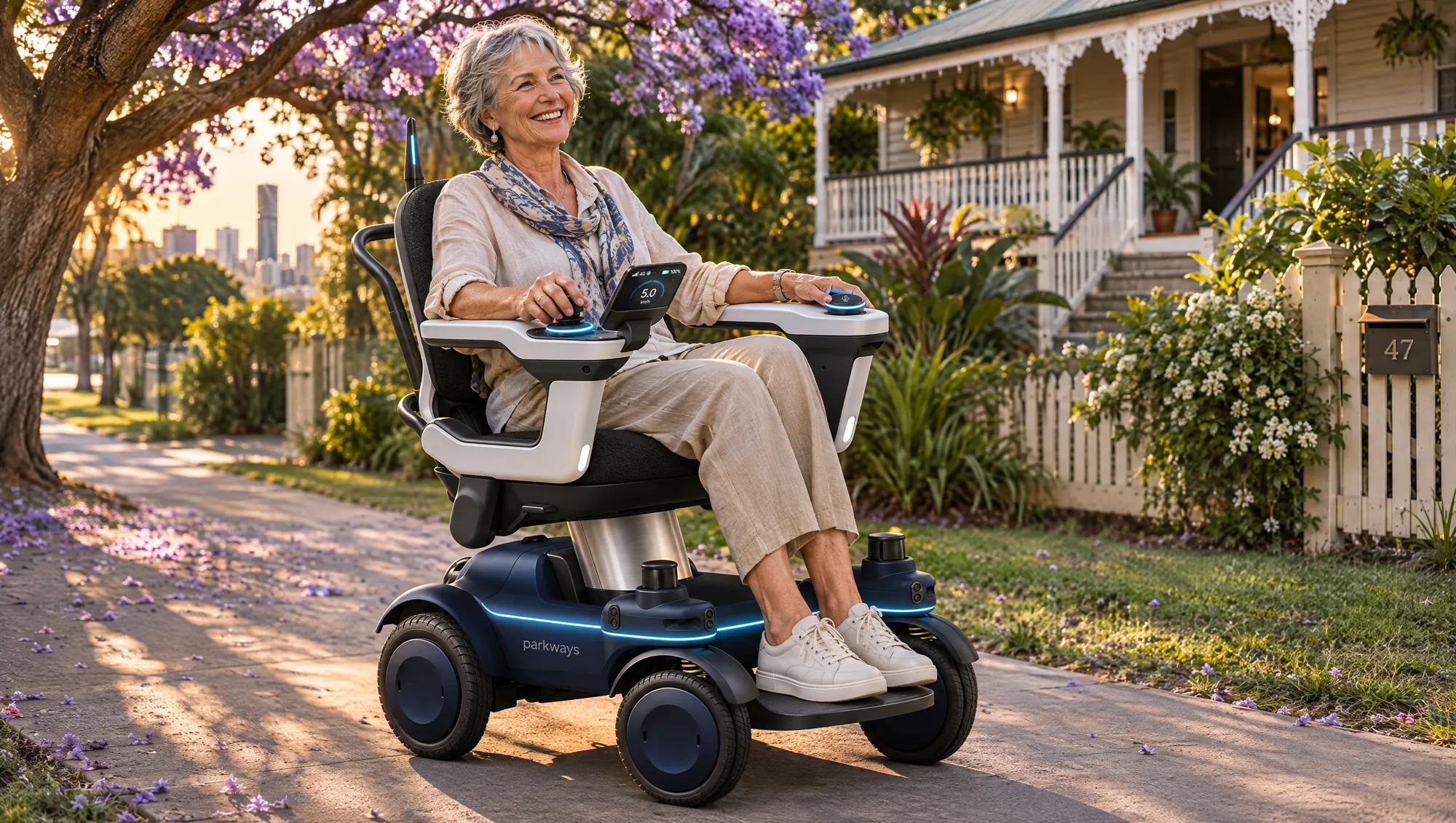
The power chair that tells the people who care.
Glide drives on four powered wheels with sensors all the way around, so it brakes before a bump and helps you steer clear. Parker lives in the armrest. Ask it to message your support worker, and if you ever take a knock or get stuck, the right people know straight away.
360° sensing with collision braking and assisted steering.
Fast charging to 80% in under two hours, plus a flight-safe battery option.
Splits into five pieces in under 20 seconds. The heaviest piece is 19.8 kg.
Water resistant, designed for summer heat, with a wide-seat option.
What Parker does in Glide
Made for: People who want to get out on their own terms, and the families and support workers who back them.
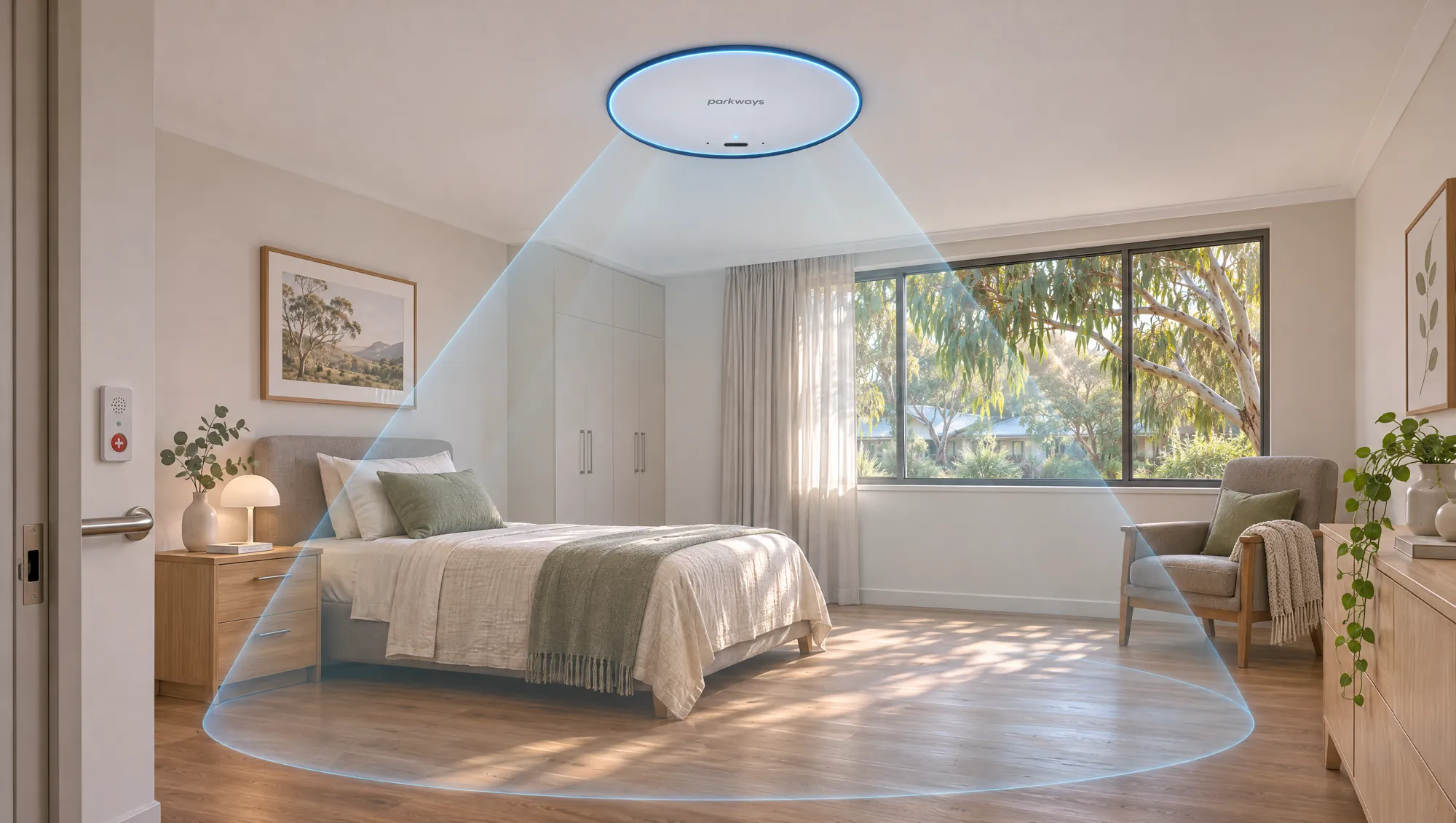
Watches over the room without a camera.
A slim disc on the ceiling that uses radar, not a camera, to notice a fall, a long time in the bathroom, or someone up and about at 3am. If something looks wrong, Parker asks out loud whether you're OK, and calls for help if you don't answer.
Radar sees movement and position, never a face or a photo.
A fall is picked up in seconds, day or night, lights on or off.
Parker checks in out loud first, so a dropped towel doesn't wake the whole team.
Bedroom, bathroom and lounge, with kits for shared homes.
What Parker does in Sentinel
Made for: Anyone living alone or in shared supported living, and the providers who run those homes.
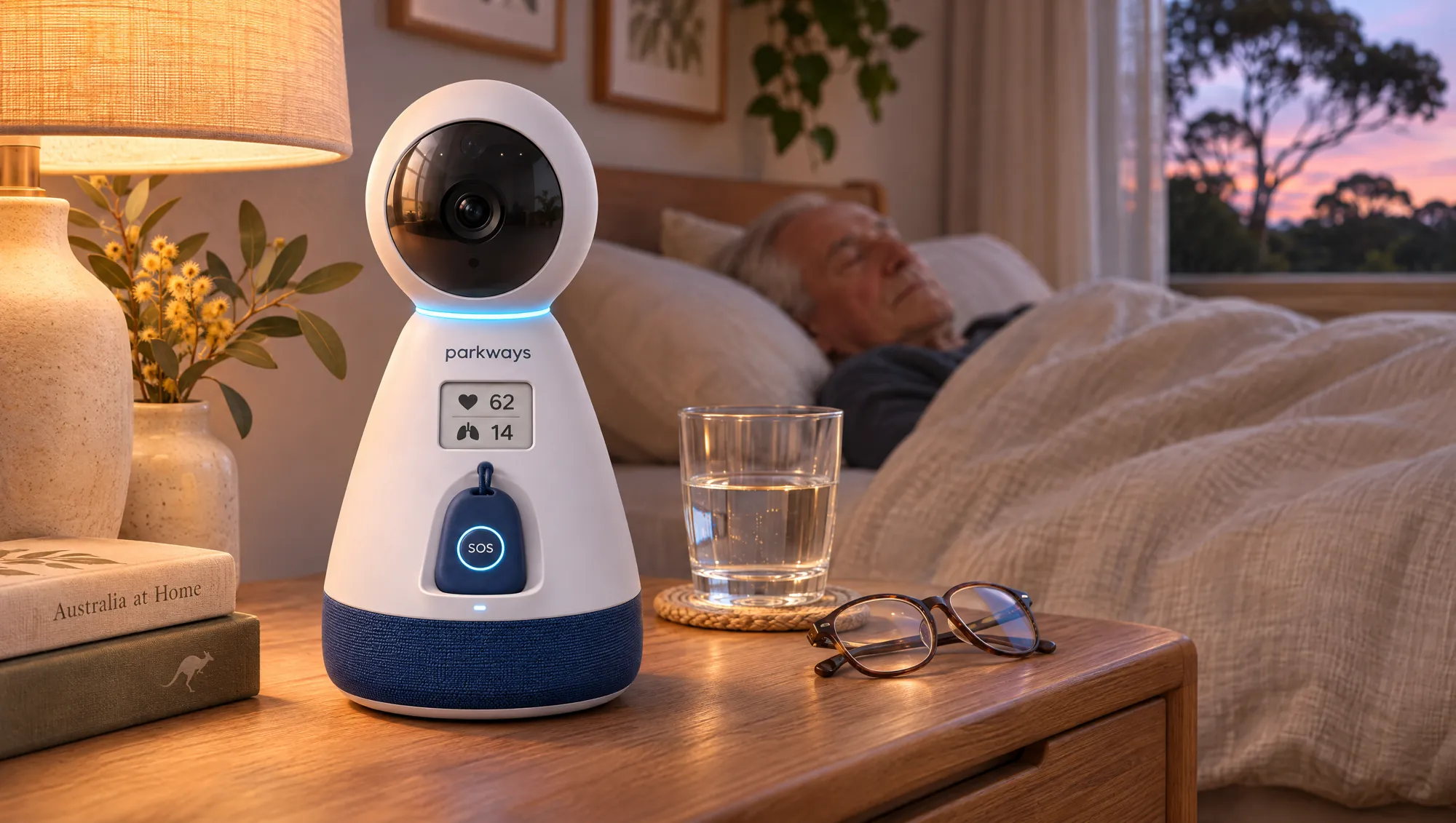
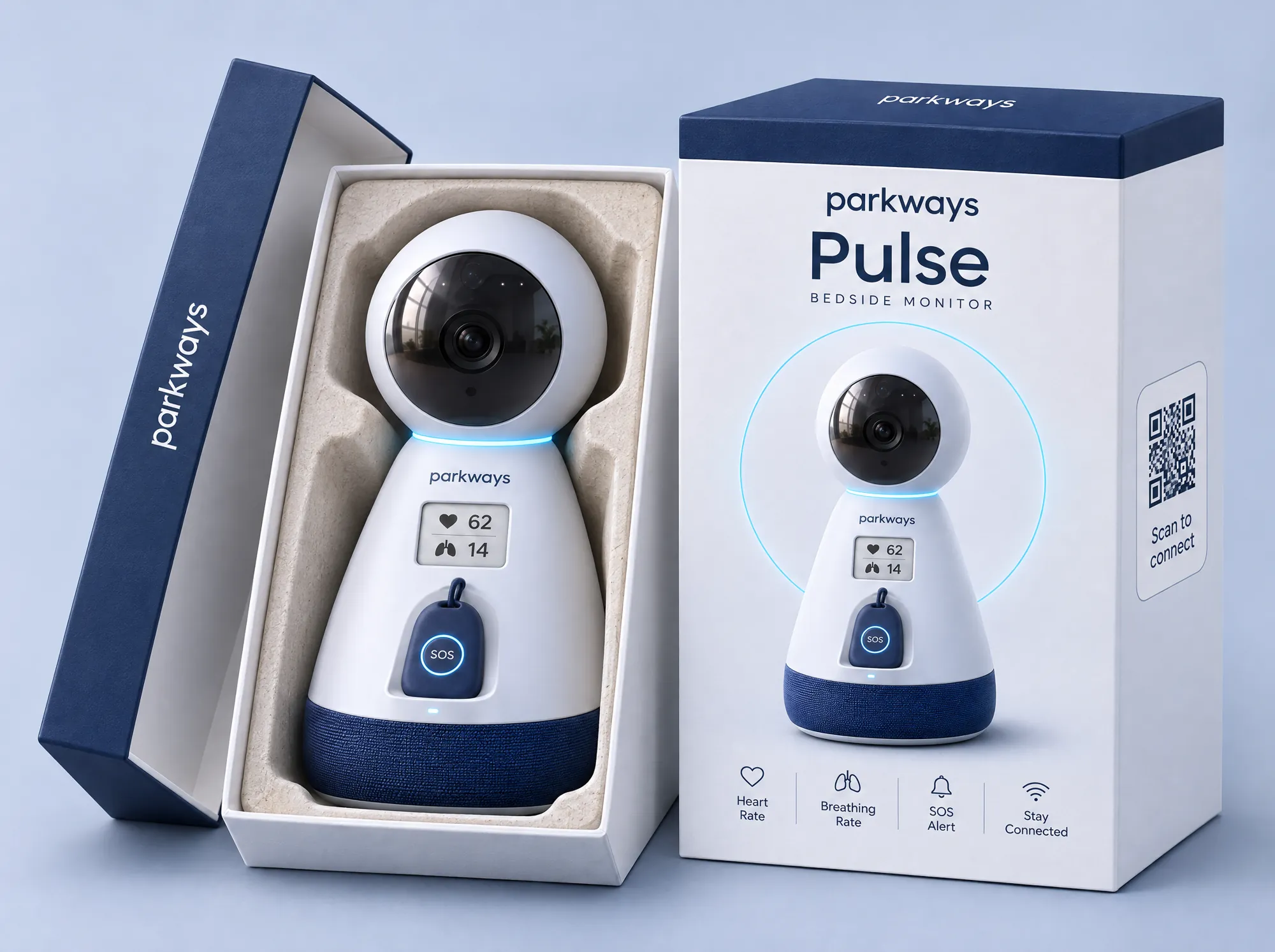
A better night's sleep, for everyone who worries.
Pulse sits on the bedside table and keeps track of heart rate, breathing and sleep from about a metre away, with nothing to wear. The SOS pendant docks on the front, so it's always charged when you pick it up.
Reads heart rate and breathing from the bedside, no straps or patches.
A pendant with one big button that also notices a fall.
Worked out on the device, with a physical shutter on the camera.
A small screen shows last night's numbers, or just ask Parker.
What Parker does in Pulse
Made for: Older people living at home, people whose nights are a worry, and the families who lie awake about it.
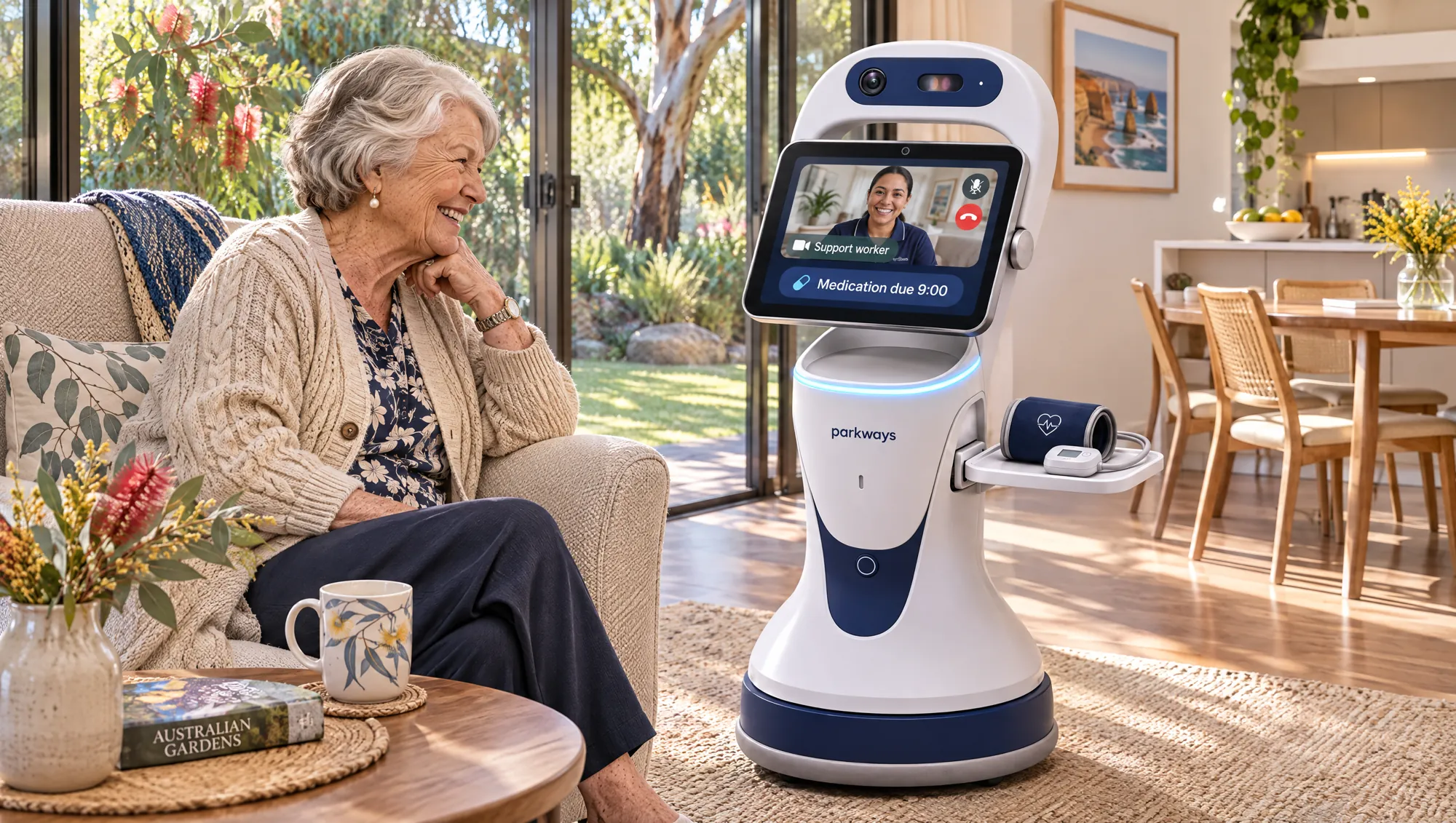
Company, reminders and a check-up, in one friendly robot.
Companion is Parker with a body. It says good morning, reminds you about tablets and appointments, takes your blood pressure from its tray, and puts your support worker on the screen for a video call.
Tablets, meals and appointments, with a nudge if one is missed.
A blood pressure cuff on the tray sends readings to your record.
Video call your support worker or family on the big screen.
Moves between rooms and goes back to its dock to charge.
What Parker does in Companion
Made for: People living on their own who'd like company and a hand, and the providers who support them.
Every device has a QR code on the base. Scan it with your phone.
Sign up free, or a family member can do it with you.
Enter your provider's invite code. No provider? Alerts can go to family instead.
Parker introduces itself through the device and learns your name and routines.
Sentinel watches bedrooms and bathrooms with radar, never a camera.
Readings are calculated at home. Video and audio stay in the room unless you ask for help.
Your provider, your family, or both. Change it whenever you like.
Alerts and readings are stored in Sydney, in your Parkways record.
Designed in Brisbane. Delivered Australia-wide. Your data stays here.
A fall, an SOS or a missed dose goes to whoever is rostered on.
Sleep, movement and readings over weeks, ready for progress reports.
House kits for SIL homes, one view per house.
Pilots for Range 01 are being lined up with providers now. Tell us how many homes and clients you support and we'll set up a walkthrough.
Sentinel has no camera at all. It uses radar. Pulse and Companion have cameras with a physical shutter, and Pulse works out heart rate and breathing on the device itself. Nothing is recorded or sent out by default.
No. You can link a provider on Parkways, link family members, or both. You choose who sees what, and you can change it any time in Parkways Connect.
Many people fund assistive technology through their NDIS plan or Support at Home. Your OT or support coordinator can tell you what fits your plan and what evidence you'll need.
In Australia. Device alerts and readings go into your Parkways record, stored in Sydney, and only the people you've allowed can see them.
Range 01 is in development with our manufacturing partners now. Register your interest and we'll let you know about pilots and release dates first.
Join Parkways Connect free. It's where your devices will live, and we'll let you know first when pilots and release dates are set.
Join Parkways ConnectEmail us with your organisation and the devices you're interested in, and we'll be in touch about pilots.